
For professionals operating in the field, a computer is only as valuable as its ability to communicate. Whether you are conducting an utility infrastructure inspection in a rural area or executing a military deployment, relying on unstable Wi-Fi networks or temporary phone hotspots is an operational liability. Dropped connections lead to unsynced data, delayed reports, and severely compromised productivity.
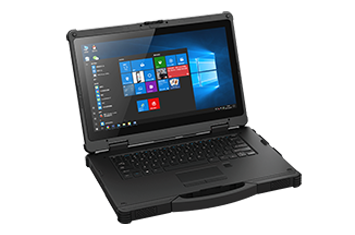
To guarantee an uninterrupted connection and facilitate continuous field operation, enterprise IT teams are moving away from makeshift connectivity. Instead, they are standardizing their fleets on the rugged laptop with 4G LTE. By integrating cellular modules directly into a heavily armored industrial laptop, organizations can ensure their workforce remains online, secure, and productive, regardless of how remote the job site gets.
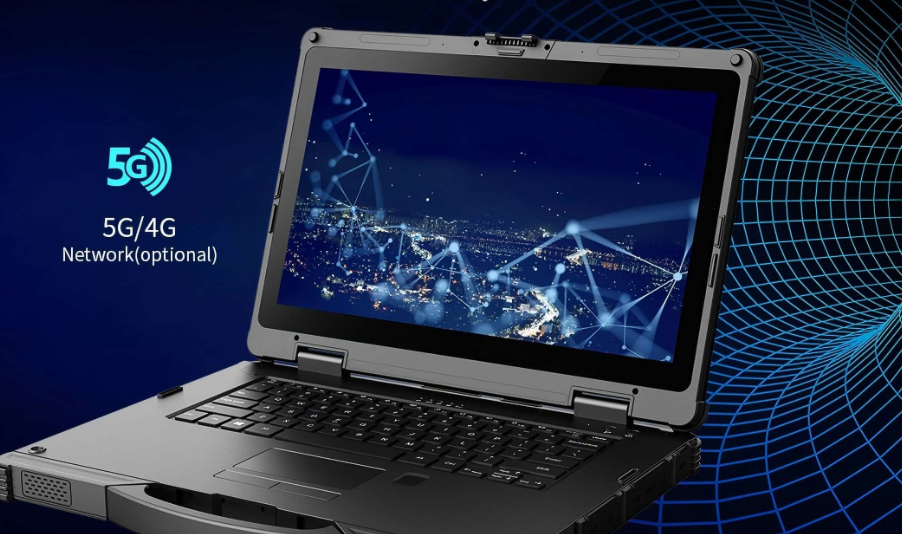
When searching for the best rugged laptop for remote work, many teams mistakenly assume they can rely on external workarounds for internet access. However, in heavy-duty environments, these shortcuts quickly fail:
The Smartphone Hotspot Drain: Running a hotspot drains your phone’s battery rapidly. In an emergency, a dead phone becomes a major safety risk. Furthermore, if you walk too far from the laptop, the connection drops, halting real-time data transmission.
External Dongle Connectivity Issues: USB cellular dongles are fragile. In a ruggedized mobile workstation environment, they easily snap off, and their small internal antennas frequently lead to severe signal loss in extreme environments.
Investing in a rugged laptop with built in cellular transforms how field teams operate. By installing a SIM card directly into your fully rugged laptop, you unlock a level of efficiency that tethering simply cannot match.
With native mobile broadband connectivity, your device connects directly to the cellular network. There is no need to hunt for public Wi-Fi passwords or constantly toggle a hotspot switch. This provides seamless roaming as field workers move between different locations, ensuring high speed data transfer without the frustration of manual reconnections.
Public Wi-Fi networks at coffee shops or hotels are notorious for security vulnerabilities. A dedicated 4G LTE connection routes your data through a carrier’s encrypted network, providing a vastly superior security baseline. When paired with TPM 2.0 hardware encryption, secure boot technology, and zero trust network access architectures, native cellular connectivity ensures that sensitive enterprise data remains locked down.
Many built-in 4G LTE wireless modules also offer dedicated GPS navigation. If location tracking is vital for law enforcement patrol vehicles or remote asset monitoring, having native GPS capabilities built into the LTE card ensures highly accurate positioning, far surpassing the reliability of a standard phone GPS.
A rugged notebook equipped with LTE is the architectural backbone for industries operating beyond the corporate firewall:
Field Service Management: Mechanics can download massive schematics for heavy equipment diagnostics directly on the job site without returning to a depot.
Public Safety: First responders require instant, reliable access to dispatch data while en route to emergencies, making native cellular essential.
Energy and Resources: Teams engaged in oil and gas exploration or offshore drilling can sync crucial telemetry data from remote locations featuring a wide operating temperature range.
| Feature/Capability | Smartphone Hotspot Tethering | Rugged Laptop with 4G LTE |
| Connection Stability | Drops frequently if the phone moves or sleeps | Always-on, uninterrupted connection |
| Battery Impact | Drains phone battery severely within hours | Powered by device; supported by hot-swappable dual battery |
| Hardware Durability | Phone must be exposed to elements to signal | Enclosed within MIL-STD-810H certification chassis |
| Data Security | Vulnerable if hotspot password is weak | Encrypted carrier network with mobile device management support |
| Setup Time | Requires manual pairing at every new site | Instant connection upon device boot-up |
Integrated 4G LTE eliminates the reliance on unstable smartphone hotspots and public Wi-Fi. It guarantees high-speed data transfer for downloading diagnostic software, uploading field reports, and maintaining real-time communication with dispatch. This drastically reduces job-site downtime and improves overall field efficiency.
Unlike consumer laptops with external dongles, a military grade laptop utilizes large, high-gain internal antennas. Additionally, when used as a vehicle mount laptop, many rugged models feature antenna pass-through technology, allowing the device to utilize high-powered, roof-mounted vehicle antennas for superior reception in rural areas.
While continuous cellular connectivity does consume power, industrial hardware solves this through specialized engineering. Devices equipped with a fanless thermal design consume less baseline power, and the integration of a hot-swappable dual battery system allows users to swap depleted batteries mid-shift without powering down or losing their connection.
Connecting is incredibly straightforward. You simply insert an active, data-enabled SIM card (nano or micro, depending on the model) into the device's sealed SIM slot—which is protected by IP65 water and dust resistance or an IP67 rating. Once inserted and configured in the operating system's cellular settings, the laptop functions exactly like a large cellular phone for data purposes.
Discover Onerugged’s rugged computing solutions, enterprise deployment services, industrial application cases, and customized mobility strategies for warehouse, manufacturing, logistics, and field operations.